
On your computer.
Run compatible models on your own hardware. Local inference has no per-token API bill, and Local Only keeps your AI requests on your device.
Your models · Your hardwareA little companion. A lot of possibility.
Think, build, and get things done with AI that starts on your computer—and works the way you choose.
Local AI is free to use · Optional API providers · Alpha available
One workspace.
More possibilities.
A closer look
From a quick question to a connected routine. Meet the tools inside your new KAI workspace.
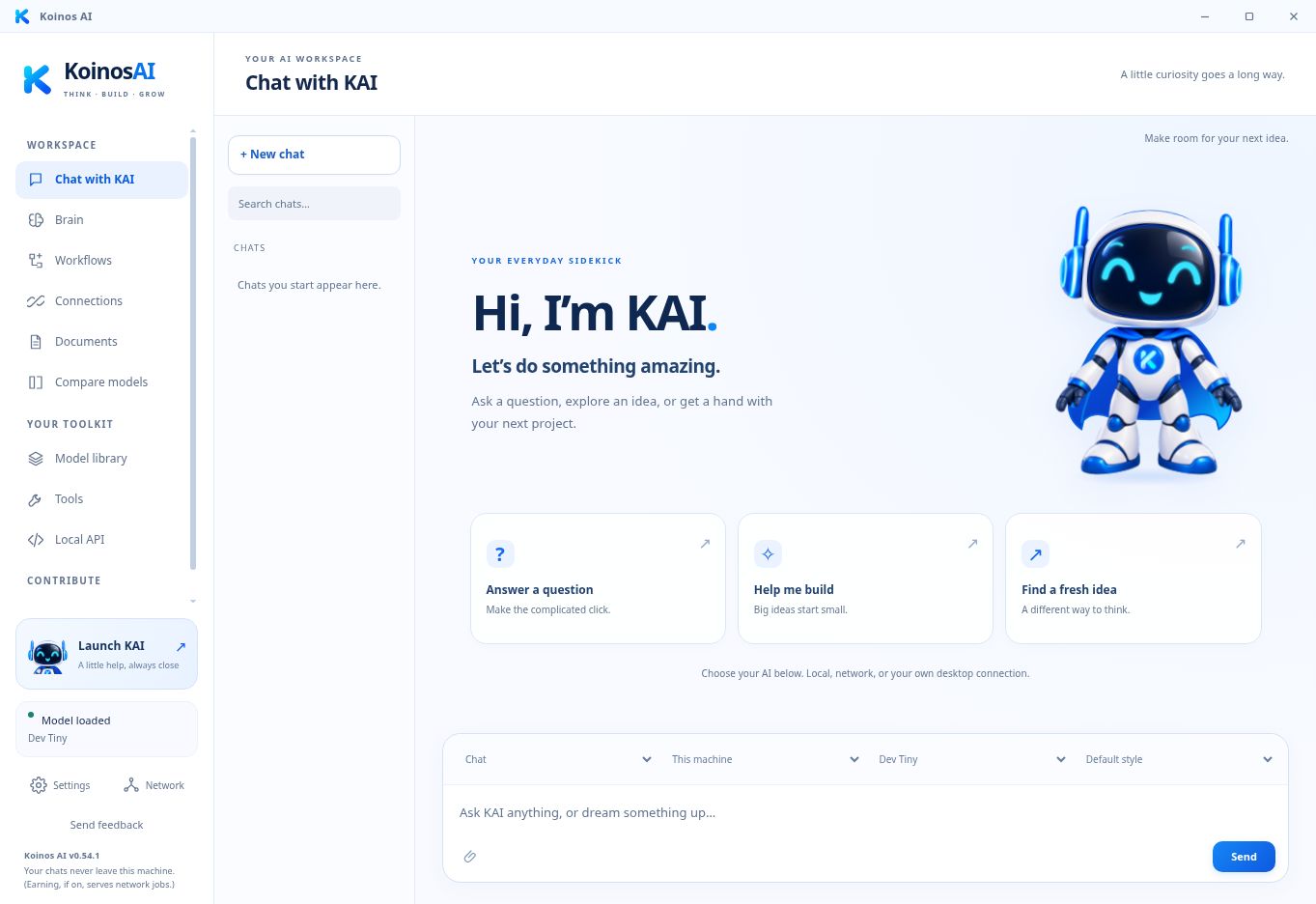
Write, research, plan, and work through ideas with KAI. Keep your conversations together and choose the right model for the moment.
New screenshots from the Test interface with sample workspace data. Features shown are in Test; release availability may differ.
A little help, always close
KAI steps out of the chat window and onto your desktop. A familiar face to talk things through, find your next step, and lend a hand.
Talk or type, ask follow-ups, and interrupt a reply by saying “KAI.” Choose a voice with a little personality.
Ask KAI to open a website or help with supported apps. Review the task, grant access, and stop at any time.
Keep useful memories, projects, and goals in Brain. Choose what KAI remembers and edit it as life changes.
Voice listening is opt-in. Desktop control depends on your operating system, apps, and selected model.
Take control of your AI
Start on your computer. Reach the decentralized network when you need more. Bring an API provider when you choose. Your AI, on your terms.
Run compatible models on your own hardware. Local inference has no per-token API bill, and Local Only keeps your AI requests on your device.
Your models · Your hardwareGo beyond your hardware without relying on one AI provider. Independent computers share the work, reducing dependence on a single company’s AI ecosystem. Shared capacity and usage-based pricing are designed to keep costs lower.
Independent compute · Paid in KAIUse your own OpenAI or Anthropic API key for desktop conversations. Choose the model that fits the task, with usage billed by that provider.
Optional · Your own accountKeep sensitive work in Local Only. Network requests pass through the scheduler and a serving provider; browser chat history is saved to your account.
For the things you want to build
Go beyond a single prompt. Give agents their own roles and tools, build teams that work through a task, and save the setup to use again. Your local definitions stay yours to inspect, change, and reuse.
# Familiar tools. Your AI underneath.
from openai import OpenAI

client = OpenAI(
    base_url="http://localhost:41100/v1",
    api_key="YOUR_KAI_PROJECT_KEY"
)

reply = client.chat.completions.create(
    model="YOUR_INSTALLED_MODEL_ALIAS",
    messages=[{"role": "user",
               "content": "Let's build."}]
)Describe a routine or connect steps on a visual canvas. Use local reasoning, conditions, schedules, and approvals to make it repeatable.
Bring selected app actions into chat. Ask for a document, spreadsheet, or calendar update, then review the action before it runs.
Connect your tools and products to KAI's local endpoint. Build an application or service around compute you control.
Connected actions require account setup and the appropriate permissions. Scheduled workflow reasoning uses installed local models while the desktop app is open.
A network you can be part of
A decentralized network gives people a part in powering AI. Put spare capacity to work, earn KAI for useful compute, and help make capable AI more affordable. You set the resource limits.
Two ways to contribute
Using existing hardware and paying for the work you use keeps the focus on useful compute. The goal is lower costs; actual rates depend on model and network demand.
KAI · AI network rewardsThe optional Koinos Node tools offer a separate path to participate in the blockchain and configure block production.
KOIN · Separate node economicsNo. You can run compatible local models without buying KAI or KOIN. Your own API providers bill you separately. KAI is used for supported network services and rewards.
Yes. The desktop app supports installed local models and your own OpenAI or Anthropic connection. You choose the provider for conversations. Local Only blocks external providers; your API keys stay encrypted on your desktop.
Local inference runs on your hardware. Your local workspace and model files stay there. Using an external AI provider, connecting an app, enabling account sync, or choosing network compute sends the information needed for that feature. You control those choices.
In Test, KAI can use permitted actions from connected accounts and help with supported desktop tasks. You choose the connection, permissions, and actions, and review changes before they happen. Support varies by app, account, and model.
The screenshots show the latest Koinos AI Test interface. Brain, connected chat, the workflow canvas, and companion improvements are being refined there. Check the release notes for your version before relying on a feature.
Think · Build · Grow
Make room for an AI companion that works with you.
Start on your computer. Decide where to go next.
Get updates as KAI grows. Read our privacy policy.